Manual scheduling is one of the most time‑consuming, error‑prone tasks in a modern business. Between back‑and‑forth emails, missed calls, time zone confusion, and last‑minute rescheduling, your team can lose hours each week just trying to coordinate appointments. By learning how to set up online appointment scheduling software correctly from day one, you can turn scheduling into a fully automated, predictable workflow that serves customers 24/7 while your staff focuses on meaningful work. Table of Contents
- Clarify Your Scheduling Goals and Requirements
- Compare and Select the Right Online Appointment Scheduling Platform
- Configure Your Services, Availability, and Team Rules
- Integrate Calendars, Video Calls, and Automation Workflows
- Publish Booking Links and Optimize the Customer Experience
- Monitor Performance, Troubleshoot Issues, and Continuously Improve
- Turn Scheduling into a Strategic Advantage
Key Takeaways Key Point Why
It Matters Practical Action Define clear scheduling goals before choosing software Prevents expensive rework and misalignment with your business model Document who you schedule, how often, and what constraints exist Configure services, availability, and team rules in detail Ensures accurate bookings, fewer conflicts, and better utilization Set buffer times, working hours, and assignment rules per team member Promote booking links across all customer touchpoints Drives adoption, reduces manual scheduling, and improves customer convenience Add links to your website, email signatures, campaigns, and social channels
1. Clarify Your Scheduling Goals and Requirements
Before you even log into a new platform, the most important step in learning how to set up online appointment scheduling software is to define exactly what you want it to achieve. Many teams rush into tools and features without a clear set of requirements, only to discover later that they have to redesign processes or migrate systems. Start by identifying the core business outcomes you expect: reducing manual scheduling time, supporting remote consultations, increasing conversion from leads to meetings, or improving customer satisfaction with faster booking. Use Scheduling Links on Your Website
Next, map your existing scheduling workflows. Document who is being scheduled (prospects, customers, patients, internal teams), what types of appointments you offer, how long they last, and which staff or resources are needed. Capture rules such as minimum notice, cancellation windows, and whether you need approvals for certain appointment types. This level of clarity will help you choose appropriate features such as round robin assignment, group events, or resource‑based scheduling. It also ensures that your future configuration aligns with real‑world constraints. Use Round Robin Meeting Scheduling for
It is also useful to consider volume and complexity. A solo consultant will have very different needs from a multi‑location clinic or a distributed sales team. Estimate the number of bookings per week, the number of staff who need calendars, and whether you require advanced capabilities like multi‑time‑zone support or HIPAA compliance for healthcare. Where applicable, gather input from stakeholders in sales, customer success, operations, and IT to build a shared set of requirements that your chosen software must meet. Best Online Appointment Scheduling Software: 7
Finally, outline your integration and reporting needs. Decide whether your online appointment scheduling software should connect to CRM systems, email marketing platforms, video conferencing tools, or payment gateways. Clarify which metrics you want to track, such as no‑show rate, lead‑to‑meeting conversion, or utilization per staff member. This upfront planning will guide your implementation roadmap and help you avoid costly changes after launch. Master Video Call Appointment Booking (Zoom,
- Define primary business outcomes for implementing scheduling software
- Document appointment types, durations, and eligibility rules
- Estimate booking volume and number of staff calendars required
- List required integrations and reporting metrics
Pro tip: Pro Tip: Hold a 30‑minute cross‑functional workshop to map your current scheduling process on a virtual whiteboard. This visual flow makes it easier to identify inefficiencies and ensures that your online appointment scheduling software is configured to solve actual bottlenecks rather than assumed problems.# 2. Compare and Select the Right Online Appointment Scheduling Platform
Once you have well‑defined requirements, the next step in how to set up online appointment scheduling software is choosing the right platform. Not all tools are designed for the same use cases. Some prioritize simple one‑to‑one bookings, while others support complex team routing, multi‑location management, and automated workflows. Begin by shortlisting reputable vendors and reviewing detailed comparisons, such as those in the "Best Online Appointment Scheduling Software: 7" guide on Bookafy, which evaluates leading tools by features, usability, and value. How to Set Up Online Appointment
Create a comparison matrix that aligns with your requirements. Core evaluation categories should include calendar integration (Google, Microsoft 365, Outlook, iCloud), time zone management, customization of booking pages, support for group and recurring appointments, and advanced rules like round robin distribution. For example, sales organizations may prioritize capabilities described in "Use Round Robin Meeting Scheduling for" to ensure that inbound leads are automatically routed to the next available representative, balancing workloads and accelerating response times. Best Online Booking Systems for Fitness
Consider the end‑user experience as much as the admin feature set. A platform may be powerful, but if the booking flow is confusing or slow on mobile devices, customers will abandon the process and revert to calling or emailing. Test the booking process yourself on multiple devices and browsers. Evaluate whether the interface is intuitive, how fast pages load, and whether confirmation and reminder messages are clear and brand‑consistent. Strong customer experience is a non‑negotiable factor in a professional environment.
Finally, assess vendor reliability and scalability. Examine uptime records, data security certifications, customer support options, and pricing tiers. Look for flexible plans that allow you to start with a smaller deployment and expand as adoption grows. Check whether the vendor provides documentation, onboarding assistance, and best‑practice resources tailored to industries such as fitness, healthcare, professional services, or education. Bookafy, for instance, provides industry‑specific insights in resources like "Best Online Booking Systems for Fitness" to support more targeted implementations.
- Evaluation Criteria Why It Matters What to Look For
- Calendar and time zone support Prevents double bookings and time zone confusion Real‑time sync with major calendars; automatic time zone detection
- Team and round robin features Optimizes workload distribution for busy teams Round robin, pooled availability, skill‑based routing options
- User experience and branding Impacts conversion rates and customer trust Mobile‑friendly booking pages, custom branding, clear confirmations
- Integrations and automation Reduces manual work and improves data consistency Native integrations or APIs for CRM, email, video, and payments
- Scalability and support Ensures long‑term viability and smooth growth Documented uptime, responsive support, transparent pricing tiers
Pro tip: Pro Tip: Run a 7–14 day pilot with two shortlisted platforms in parallel. Have a small group of real users book appointments through both systems, then compare completion rates, user feedback, and admin workload before making a final decision on your online appointment scheduling software.# 3. Configure Your Services, Availability, and Team Rules
With your platform selected, you can now configure the core elements that determine how online booking behaves: services, availability, and team rules. This configuration phase is the heart of how to set up online appointment scheduling software effectively. Start by defining each service or appointment type you offer, including its name, description, duration, price (if applicable), and eligibility criteria. For instance, you might distinguish between a 15‑minute introductory consultation, a 45‑minute onboarding session, and a 60‑minute technical review, each with its own booking link or category.
Next, configure availability at both the organizational and staff levels. Establish standard operating hours for each location or team, then refine individual schedules for each staff member. Pay attention to buffer times before and after appointments to allow for note‑taking, travel, or overruns. Many high‑performing teams also set limits on the maximum number of appointments per day or per time block to avoid burnout and maintain quality. Use features like minimum notice periods and booking windows (for example, no bookings more than 60 days in advance) to keep schedules manageable.
Team rules are especially important for busy organizations with multiple staff members. Decide whether appointments should be assigned to a specific person or automatically routed to any available team member. If you are using round robin logic, define your rotation rules clearly: even distribution, priority for certain roles, or routing based on expertise. Bookafy’s guidance in "Use Round Robin Meeting Scheduling for" can help you model these rules so that no one is overloaded and high‑value appointments reach the right people quickly.
As you configure these elements, continuously test from the customer perspective. Use test accounts to book different appointment types on various days and times. Confirm that time slots are displayed correctly, that double bookings are prevented, and that confirmation and reminder messages include all essential details. Adjust your configuration iteratively until the booking flow is both precise and user‑friendly.
-
List all services/appointment types with duration and requirements.
-
Configure organizational and individual availability, including buffer times.
-
Set rules for minimum notice, cancellation windows, and booking limits.
-
Define team assignment logic (specific staff vs. round robin or pooled).
-
Perform end‑to‑end test bookings and refine based on results.
- Configuration Element Common Mistake Best‑Practice Configuration
- Appointment duration Underestimating time required, leading to constant overruns Base durations on real data and add 5–10 minutes buffer where needed
- Availability Leaving calendars wide open, causing meeting fatigue Create intentional meeting blocks and focus time; limit daily maximums
- Assignment rules Routing all appointments to a single high‑performer Use round robin or skill‑based routing to balance workloads
- Booking windows Allowing bookings too far in advance, leading to changes Restrict bookings to a reasonable horizon (e.g., 30–60 days)
Pro tip: Pro Tip: Start with slightly more conservative availability (fewer open slots) during your first weeks after launch. This controlled rollout allows you to fine‑tune your online appointment scheduling software configuration without overwhelming your team or disrupting existing commitments.# 4. Integrate Calendars, Video Calls, and Automation Workflows
Integration is what transforms your scheduling tool from a standalone calendar into a central component of your business operations. A crucial part of how to set up online appointment scheduling software is connecting it to the systems your team uses every day. Begin with calendar integrations: connect each user’s primary calendar (Google, Microsoft 365, or Outlook) so that bookings are automatically added and conflicts are avoided. Ensure that the integration is bi‑directional, so that events created externally also block off time in your booking system.
For teams that conduct remote or hybrid meetings, video conferencing integration is essential. Configure automatic generation of video meeting links (Zoom, Microsoft Teams, Google Meet, etc.) for relevant appointment types. This eliminates manual link creation and reduces the risk of errors or missing details in invitations. Bookafy offers detailed guidance on this in "Master Video Call Appointment Booking (Zoom," which outlines strategies to ensure that virtual meetings are as seamless and professional as in‑person sessions.
Next, design automation workflows around notifications and reminders. Set up confirmation emails and SMS messages that include key details such as date, time, location or video link, and any preparation instructions. Configure reminder sequences (for example, 24 hours and 1 hour before the appointment) to reduce no‑shows. Consider post‑appointment automations, such as follow‑up emails, feedback requests, or triggers that update your CRM. When integrated with marketing and sales platforms, your online appointment scheduling software can become a powerful engine for lead nurturing and customer success.
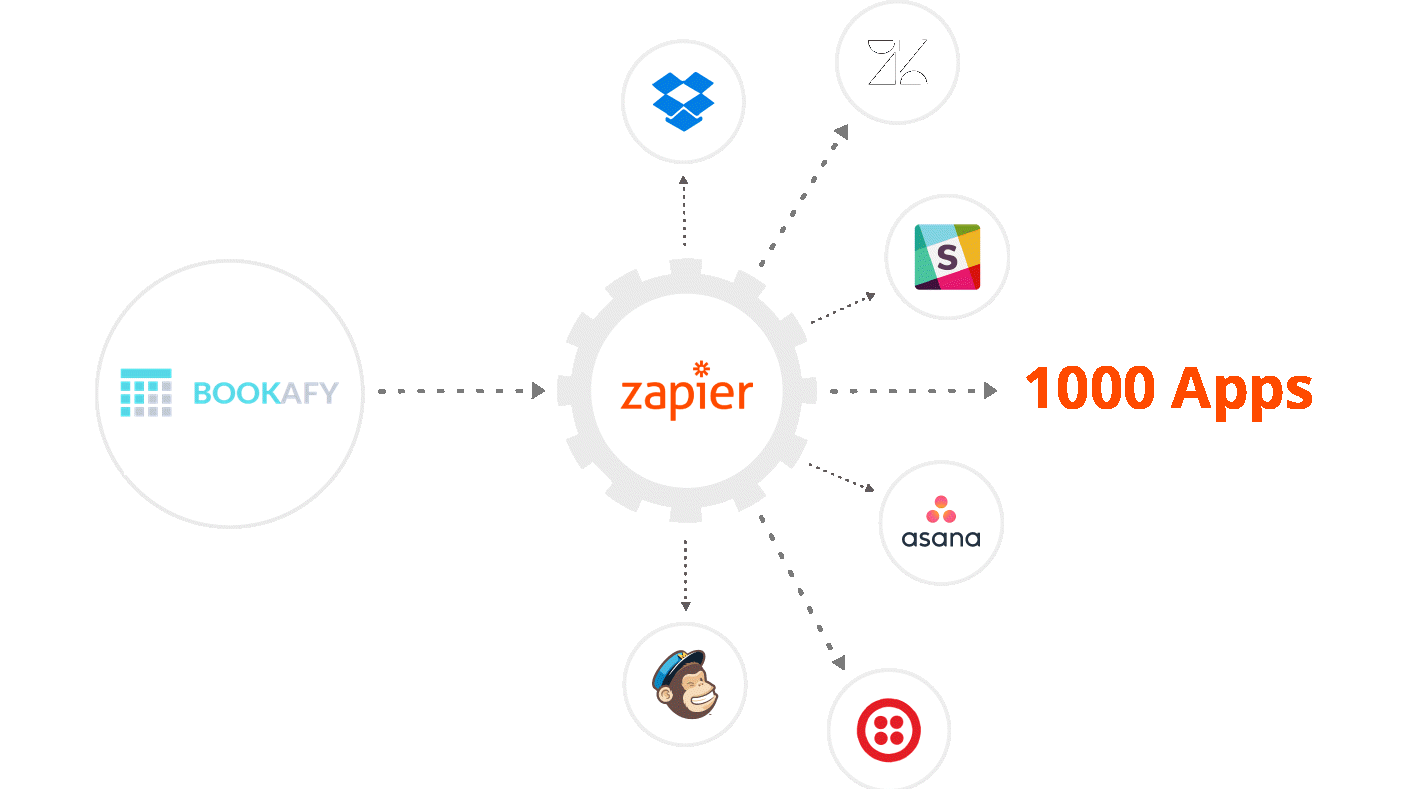
Where your organization uses additional tools—such as CRM systems, helpdesk platforms, or payment gateways—extend your integrations accordingly. Use native integrations or middleware (such as Zapier or Make) to automate data flow: create or update contacts when an appointment is booked, log activities on customer records, or initiate payment collection for certain services. Document these workflows so that IT and operations teams can support and maintain them over time.
- Connect staff calendars for real‑time availability and conflict prevention
- Enable automatic video conferencing link creation for virtual meetings
- Configure multi‑step email/SMS notifications and reminders
- Integrate with CRM, helpdesk, and payment systems for end‑to‑end automation
Pro tip: Pro Tip: Track your no‑show rate for 4–6 weeks after launch. If it remains above your target, experiment with different reminder timings and channels (for example, add an SMS reminder) and adjust your online appointment scheduling software settings accordingly.# 5. Publish Booking Links and Optimize the Customer Experience
Even the most sophisticated configuration will not deliver value unless customers and stakeholders can easily find and use it. A critical phase in how to set up online appointment scheduling software is publishing your booking links across every relevant touchpoint. Start with your website: embed booking buttons or widgets on high‑intent pages such as "Contact," "Pricing," service descriptions, and post‑demo thank‑you pages. Bookafy’s article "Use Scheduling Links on Your Website" provides nine practical strategies to integrate links in ways that match your user journeys and design.
Extend your reach by incorporating booking links into email signatures, email campaigns, and automated sequences. For example, sales representatives can add a "Schedule a Call" link beneath their contact details, allowing prospects to self‑book follow‑up meetings without back‑and‑forth communication. Customer success and support teams can include links in onboarding and renewal campaigns, enabling customers to schedule account reviews or training sessions at their convenience. Social media profiles, chatbots, and help center articles are additional effective placements.
Pay close attention to the booking experience itself. Ensure that the booking page is clearly branded with your logo and colors, uses straightforward language, and displays only the necessary information. Minimize the number of steps required to confirm a booking; excessive form fields cause friction and drop‑off. If you need detailed information from customers, consider collecting only essential data at booking and following up with a pre‑appointment questionnaire. Regularly test the full journey on desktop and mobile to confirm it remains smooth as you make updates.
Finally, communicate the availability of self‑service booking to your audience. Many customers are accustomed to traditional phone‑based scheduling and need to be informed that there is now a faster alternative. Use website banners, newsletter announcements, and in‑product messages (if applicable) to promote your new booking capability. Encourage internal teams to direct customers and partners to the booking links rather than handling scheduling manually.
- Touchpoint Placement Example Impact on Bookings
- Website: "Book a Demo" button on pricing page High – captures high‑intent visitors at the decision stage
- Email signature Personal scheduling link under contact details Medium – steady stream of self‑service meeting requests
- Marketing campaigns CTA in nurture emails: "Schedule your strategy session": High – converts engaged leads into scheduled conversations
- Social profiles Link in LinkedIn or Instagram bio Medium – convenient for prospects who discover you via social
Pro tip: Pro Tip: Use UTM parameters on key booking links so you can measure which channels and campaigns generate the most appointments. This data allows you to refine where and how you promote your online appointment scheduling software for maximum impact.# 6. Monitor Performance, Troubleshoot Issues, and Continuously Improve
Once your system is live, ongoing monitoring and optimization are essential to fully realize the benefits of learning how to set up online appointment scheduling software. Start by defining a small set of core KPIs, such as number of bookings per week, no‑show rate, average time from inquiry to meeting, and utilization per staff member. Review these metrics regularly—weekly during the initial rollout, then monthly once the system stabilizes. Trends in these indicators will highlight where configuration, communication, or staffing adjustments are needed.
Common issues can often be resolved through targeted troubleshooting. For example, if customers report difficulty finding suitable time slots, you may need to expand team availability, adjust booking windows, or refine service durations. If double bookings occur, revisit calendar integrations and overlapping event rules. High no‑show rates may suggest that reminders are not configured optimally or that appointment value is not clearly communicated. Use both quantitative data and qualitative feedback from customers and staff to diagnose root causes.
Continuously refine your setup by adopting best practices and new features from your platform provider. Vendors like Bookafy regularly publish implementation guides and industry‑specific recommendations, such as "Best Online Booking Systems for Fitness" for fitness professionals or the dedicated page "How to Set Up Online Appointment" for additional implementation details. Periodically review these resources to discover features you may not be using yet, such as group sessions, payment collection, or advanced routing rules.
Finally, treat your online appointment scheduling software as a living system rather than a one‑time project. As your business evolves—adding new services, expanding to new regions, or changing team structures—revisit your configuration to ensure alignment. Schedule quarterly reviews to update services, adjust availability, and refresh automation workflows. This disciplined approach will keep your scheduling infrastructure robust, efficient, and aligned with your strategic goals.
- Define KPIs such as bookings, no‑show rate, and staff utilization
- Investigate recurring issues by combining data and user feedback
- Stay informed about new platform features and best practices
- Schedule periodic configuration reviews to align with business changes
Pro tip: Pro Tip: Create a simple internal "change log" for your scheduling system. Document each configuration change, the hypothesis behind it, and the observed impact on your KPIs. This practice accelerates learning and helps new administrators understand why the online appointment scheduling software is configured the way it is. Turn Scheduling into a Strategic Advantage
For modern organizations, efficient scheduling is no longer a minor operational detail; it is a strategic capability that directly affects revenue, customer satisfaction, and employee productivity. By following this structured approach to how to set up online appointment scheduling software—clarifying requirements, selecting the right platform, configuring services and team rules, integrating with your existing stack, promoting booking links, and continuously improving—you create a predictable, scalable system that works for busy teams rather than against them.
The investment of time you make during setup is repaid every day in fewer emails, fewer missed calls, and more meaningful interactions with customers and stakeholders. When implemented thoughtfully, online scheduling reduces friction, shortens sales cycles, and gives clients the convenience they increasingly expect. It also provides leaders with valuable operational data, enabling better decisions about staffing, service offerings, and customer engagement strategies.
Whether you manage a sales organization, a consulting practice, a healthcare clinic, or a fitness business, the principles in this guide will help you build a scheduling infrastructure that supports growth. As you refine your implementation, continue to leverage educational resources and comparison guides from Bookafy to keep your system aligned with best practices and evolving customer expectations.
Ready to put these steps into practice? Explore Bookafy’s resources and implementation guides to see how to set up online appointment scheduling software for your specific business model, and start turning every scheduled appointment into a better customer experience today.**