The Full Client Journey: From First Inquiry to Invoice Paid, Automated
Service businesses frequently lose time to chains of small, repetitive tasks. These are often related to the client journey, which is a problem because repetitive tasks are all too easy to fudge, especially when you’ve been doing them for hours.
Let’s take a typical non-automated guest journey, such as booking a hotel room. The guest contacts the business via email; the business reads the email, replies, and a chain of emails begins in which the guest and the business ask and answer various questions. Finally, a booking is made and confirmed. The hotel then sends a range of reminders prior to the booking, and raises and chases the invoice following the booking. The actual service comes relatively late in this chain of events and is surrounded by many short, repetitive steps.
All it takes for one step in this journey to be missed, or for the guest to be pestered with the same questions more than once, is for someone not to note what’s already been discussed, or simply to forget to send an email. The results of this kind of simple human error in a fragmented process include missed opportunities, inconsistent experiences, and slower growth.
There is, however, a simple solution. Automation can make sure that service clients experience an efficient, professional, and coherent client journey from start to finish. Nothing gets missed out or skipped, and human professionals can still get in touch with clients at any point to confirm specific details and provide that all-important human element.
Crucially, automated client journeys are scalable in ways that manual client journeys simply aren’t. Manual email chains take up staff time that frequently can’t be scaled up without hiring new people, whereas automated journeys are easily scalable as client volumes increase without draining staff time further.
Here, we’ll take you through everything you need to know about automating client journeys and how doing so can improve both your own efficiency and the experience of your clients:
Mapping the Client Journey
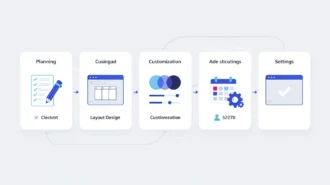
Before you can automate a client journey, you need to know what a typical client journey looks like. So, before you look into automation, define the stages of your clients’ journey. These might include:
- Initial inquiry (if beginning the journey at the first point of contact. Some businesses include the marketing journey prior to engagement in their client journeys)
- Booking/scheduling
- Pre-service communication
- Service delivery
- Post-service follow-up
- Invoicing and payment
Be as detailed as you can in your mapping, and take particular note of any stages that involve passing on important information and/or sensitive data.
Automating First Contact and Lead Capture
First contact and lead capture are among the easiest and most obvious aspects of the client journey to automate. That being said, it’s also crucial that clients feel valued when they get in touch, and that even an automated system gives them a good, human experience.
To begin, replace manual contact routes such as email addresses and phone numbers with contact forms, autoresponders, and instant confirmations. These give much faster response times, which help clients feel their time is valued, and higher conversion rates. They can also immediately set expectations for things like availability, pricing, and the ongoing process.
That being said, it’s important not to delete manual contact methods entirely. Many clients prefer the human touch, and some may have questions or needs that an automated system can’t adequately address.
Seamless Scheduling and Booking
Without automation, scheduling and booking can be a tricky part of the client journey, which is awkward, since they should be among the simplest and most seamless aspects of the whole process. Endless back-and-forth about times that suit both the client and the business, calls to reschedule, and so on can all make booking frustrating for everyone involved. But automation using online systems like Bookafy can make the whole process totally seamless.
Bookafy will show potential clients’ availability in real time and detect clients in different time zones, adjusting accordingly. Once the booking is made, Bookafy automatically issues an immediate confirmation. This eliminates the long game of email tennis, reduces the chances of no-shows, and generally improves the client experience.
Pre-Service Communication on Autopilot
Reminders are crucial for service appointments – they refresh clients’ memories and help to reduce the chance of no-shows. However, it’s not always easy to consistently issue manual reminders, especially if you’re very busy.
An automated system will automatically schedule and send out reminders in a format that suits both the business and the client. These could be in the form of emails, SMS, or push notifications.
Automated reminders can also include vital pre-session prep, such as forms or questionnaires that help both business and client set up a productive and fulfilling service.
Delivering a Consistent Service Experience
Typically, the service itself will (and should be!) the most ‘human’ aspect of the customer journey. But even here, automation can help to improve the experience.
For example, you can use digital tools such as checklists and templates to standardize delivery and gather valuable feedback. File-sharing systems and session summaries also boost overall communication and help keep everyone on the same page.
All in all, automations and digital tools can be a huge help in creating a reliable, high-quality service experience that can be repeated for other clients.
Automating Follow-Ups and Retention
Post-service workflows include thank-you emails, requests for feedback, promotional messaging (for example, to let past clients know about special offers they may be interested in), upselling, rebooking prompts, and so on.
Follow-ups are very important for retention and getting repeat custom. Clients who return for your service tend to have much higher lifetime value than those who do not, and follow-ups are crucial to securing repeat bookings. By automating the follow-up process, you can give your clients a much more consistent, personalized, and valuable post-service experience.
Invoicing and Payment Automation
As every business that invoices clients rather than takes point-of-service payment knows, invoices can be a notorious bottleneck in the client journey. Nobody wants to pester clients for payment, but at the same time, late payments can have a major impact on business cash flow.
Automated invoicing tools can speed up the payment process without making clients feel pressured. By including automated payment gateways and polite, scheduled reminders in your invoicing and payment automation workflow, you’ll make it easier for clients to pay you on time and harder for them to forget about your invoice.
Crucially, this kind of automation and streamlining helps you to stay compliant with evolving tax and financial transparency requirements. This is particularly the case for freelancers and independent professionals navigating frameworks like Making Tax Digital for sole traders, which are shaping how income and reporting are managed.
Connecting Your Tools Into One Workflow
Any automated system is at its best when it’s fully integrated and part of a single workflow. If you can, avoid siloed systems. Siloing parts of your client journey and the tools used for it can result in fragmentation and missed important information.
So, try to integrate all of your tools into a single workflow for efficiency and visibility.
Scaling With Automation
One of the big advantages of automation is that it’s easier to scale an automated process than a manual one. With automation, you can handle more clients without having to handle more admin, and you won’t have to worry as much about time spent playing email tennis with clients.
From the client’s point of view, an automated journey offers an efficient, consistent experience that enhances rather than removes the human aspects of the service. Rather than being busy with admin, agents can devote more time to answering important client queries and ensuring a good experience for clients, all of which help build positive, lasting brand/client relationships.
Conclusion
Automating client journey workflows will help your business move from a reactive operation that struggles to handle the admin burden of guiding clients from booking to service to payment and beyond to a proactive operation with seamless journey systems and a strong client experience.
Tools like Bookafy can provide you with the kind of integrated, seamless booking experience that your clients and your business need. An easy booking experience will start your clients’ experience with you on the right foot and set them up for a smooth and easy journey through the rest of their time with you.