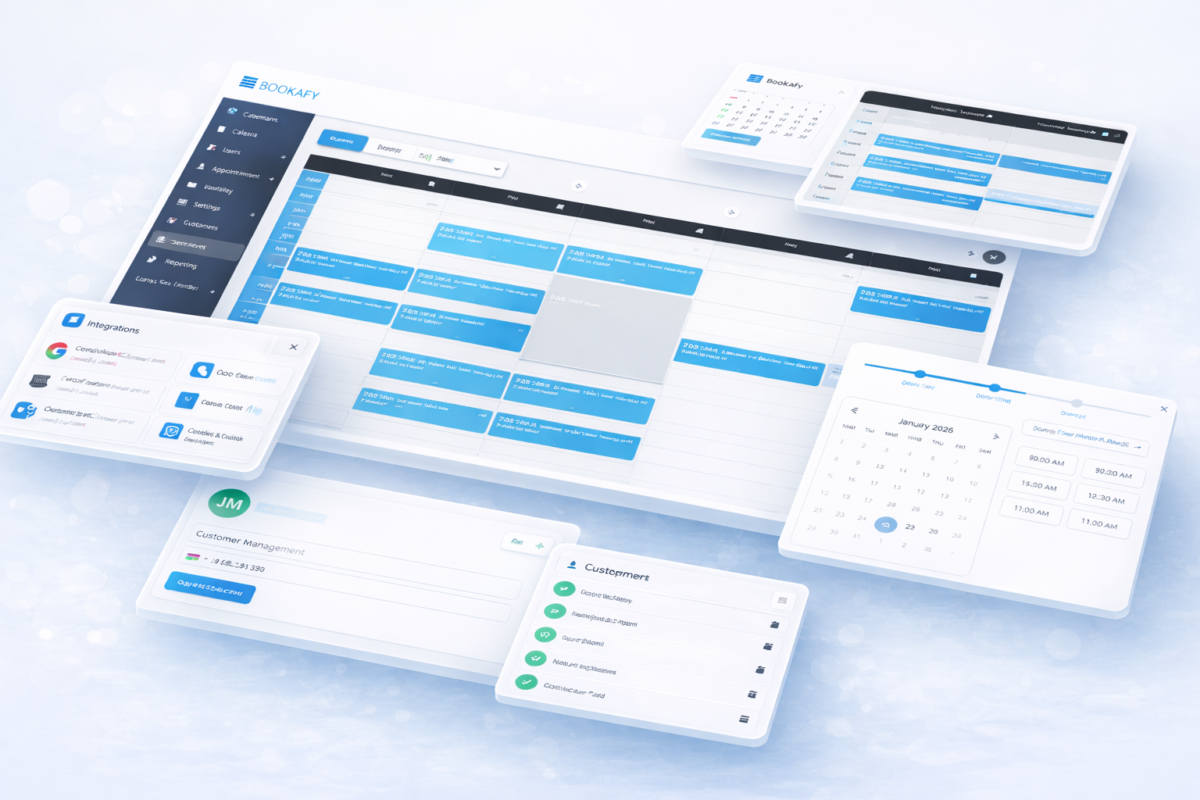
What Bookafy actually does — in plain terms
Every appointment tool sells you the same picture: a link, a calendar, fewer emails. The difference between them shows up in the four places a booking can go wrong. Here is what Bookafy does at each one, and where it stops.
1. Publishing the right availability
The single most expensive mistake in scheduling is publishing hours you do not actually want to work. Your booking page is a menu, not a mirror — it should show the times you want filled, not every gap in your week. Bookafy lets you set working hours per service and per team member, add buffers before and after, cap how many bookings a day can hold, and require a minimum notice so nobody books you for twenty minutes from now.
Two-way calendar sync with Google, Outlook and Microsoft 365 is what stops the double-booking: your existing events block the slots automatically. Worth knowing up front — calendar sync is not on the Free plan. On Free, your booking page does not know about your other calendar, so it will happily sell a slot you are already busy for. If you charge for your time, that alone is why Free is usually more expensive than Pro.
2. Reminding people so they turn up
No-shows are not a discipline problem, they are a memory problem. Automated email confirmations go out on every plan. SMS reminders start on Pro (one reminder), and Pro+ adds a second. Every text costs money to send, which is why nobody in this market — including us — gives SMS away for free. If a vendor advertises "free reminders", they mean email.
3. Putting a video link in the invite
Bookafy generates the meeting link itself for Zoom, Microsoft Teams, Webex and GoToMeeting. This is native — you connect the account once and every booking after that arrives with a unique link already in it. You do not need Zapier for this, and you do not need to paste a personal meeting room into a description field where two clients can end up in the same call.
4. Taking the money at the point of booking
Payment at booking is a filter, not a convenience. It is the cheapest way to find out whether someone actually intends to show up. Bookafy collects payment through Stripe at the moment the appointment is made.
The honest limit: we take payment up front — we do not store a card and charge it later after a no-show. If your business model depends on a stored card and a cancellation fee, we are not the tool for that.
Scheduling for a team, not just a person
| What you want | The feature | The catch nobody mentions |
|---|
| Spread the work evenly | Round robin | Round robin is fair, and fair is not always what you want. It routes to whoever is next, not to whoever is free soonest — so it can cost you time-to-meeting on a hot lead. |
| Send the right person | Skill-based routing | Only as good as how honestly you tag your team. Tag everyone with everything and it degrades into round robin. |
| Several staff, one client | Multi-user appointments | The slot has to be free on every calendar at once. Add a fifth person and the calendar gets very quiet. |
| Many clients, one session | Group events | This is a group booking, not a class timetable. See below. |
What is on which plan
| Free | Pro — $7/user/mo | Pro+ — $11/user/mo |
|---|
| Unlimited appointments | Yes | Yes | Yes |
| Users | 1 | Unlimited | Unlimited |
| Two-way calendar sync | No | Yes | Yes |
| SMS reminders | No | 1 | 2 |
| Take payment (Stripe) | No | Yes | Yes |
| Group events, round robin, skill-based routing | No | Yes | Yes |
| Zapier | No | Yes | Yes |
| HIPAA | No | No | Yes |
| Custom API | No | No | Yes |
Prices are per user per month billed yearly. The pricing page carries the full matrix. The trial is 7 days of Pro+, no card.
Two of those rows are the ones people get wrong: HIPAA is Pro+, not Pro — if you are a clinic, the $7 plan is not the plan you need. And on Free there is no calendar sync, which is the row that quietly causes double-bookings.
What Bookafy is not
Pages that only list features are useless for deciding. Here is what we do not do, so you can leave now if one of these is your actual problem.
- No class timetable, memberships or class packs. If you run a studio and sell a 10-class pack against a weekly grid, buy Mindbody, Momence or Punchpass. Group events are not a timetable.
- No room or resource booking. We schedule people. If you have more therapists than treatment rooms, the room is your real constraint and we will not model it.
- No waitlist. A cancelled slot does not automatically offer itself to the next person.
- No native EMR or practice-management connector. No Epic, Athena, Dentrix or Open Dental. Your front desk will re-key the booking. See online medical scheduling for the honest version of that.
- No app in the App Store or Google Play. Bookafy runs in the browser. Your client should never have to install anything to book you — but if you specifically want a phone app for your staff, that is a real gap.
- No availability polls. There is no Doodle-style "pick from this grid" vote.
The automation trap worth knowing before you build one
Bookafy connects to thousands of apps through Zapier on Pro and above, and it is the fastest way to push a booking into your CRM or your invoicing tool. But our Zapier app has no cancellation trigger. That means an automation built the obvious way will keep running after someone cancels — and will cheerfully invoice or nurture a person who is no longer coming.
The fix is free and takes a minute: put a delay on the Zap until just after the appointment time, then have it check that the appointment still exists before it fires. Most people find this out from an angry customer instead. More on this on automated appointment scheduling.
Who this is really for
If you book exactly one kind of 30-minute call and nothing else, you do not need this much machinery. Use Calendly. We would rather say so than sell you a plan you resent.
Common questions
Does the free plan sync with my Google Calendar?
No. Two-way calendar sync starts on Pro. On Free, your booking page cannot see your existing events, so it can offer a time you are already busy.
Are SMS reminders included?
One SMS reminder is included on Pro, two on Pro+. There are none on Free. Texts cost money to send, so no scheduling tool gives them away.
Which video tools generate a link automatically?
Zoom, Microsoft Teams, Webex and GoToMeeting. Connect the account once and every booking arrives with its own unique meeting link. No Zapier required.
Can Bookafy charge a client who does not show up?
No. We take payment up front through Stripe at the time of booking. We do not keep a card on file to charge a no-show fee afterwards.
Is there a mobile app?
No. Bookafy runs in the browser on every device. There is nothing to install in the App Store or Google Play — for you or for the person booking you.
How long is the trial?
7 days of the Pro+ plan, with no credit card.
Try it on your own calendar
7 days of Pro+, everything switched on, no card. If it does not fit, the list above told you why before you spent anything.
Start the free trial See full pricing
Keep reading: appointment scheduling software · online appointment scheduling · integrations · put booking on your website · booking with payments · pricing