
In today's fast-moving digital landscape, independent tutors are busier than ever. Between lesson planning, student communications, and grading, scheduling appointments can become a full-time job on its own. That's why appointment scheduling software has become an essential tool for tutors looking to streamline their operations and offer a seamless experience to their students. As we look toward 2026, the features, expectations, and best practices for using this technology are evolving rapidly. Whether you're a seasoned private tutor or just getting started, mastering your scheduling software can have a profound impact on your business and your students' satisfaction.
Understanding What Tutors Need
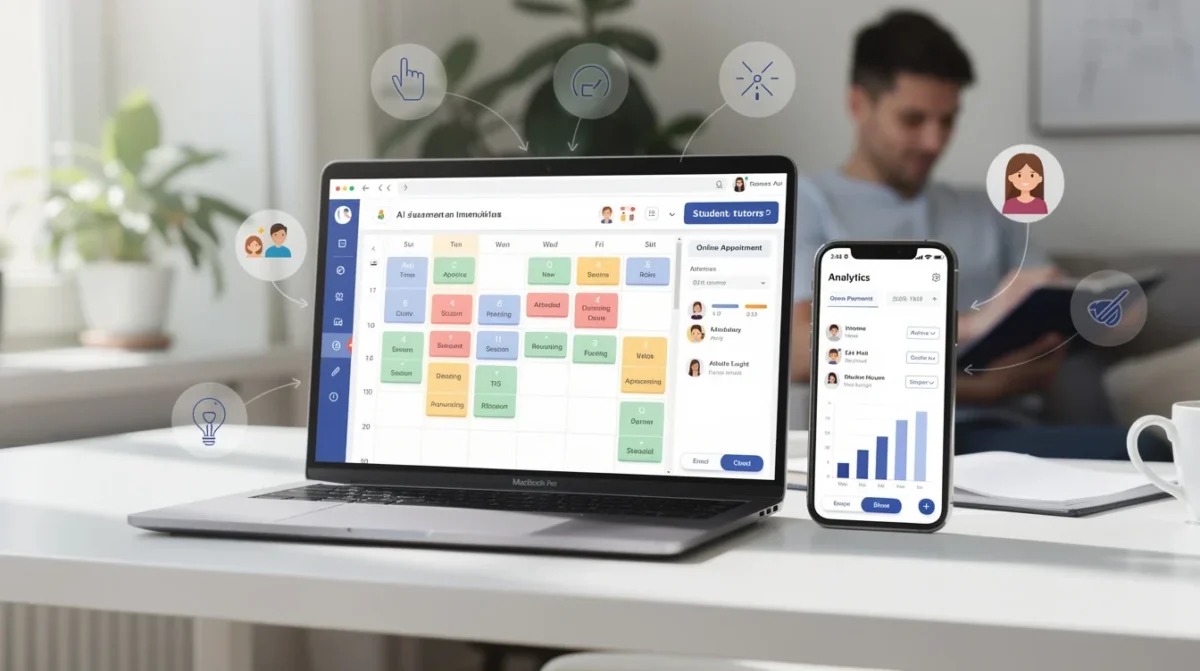
Before diving into advanced tips, it's crucial to understand what independent tutors truly need from scheduling software. Flexibility, reliability, and ease of use are non-negotiable. You're not running a large institution with IT support on standby; you're likely juggling multiple students, each with unique needs and schedules.
The right appointment scheduling software should let you set your availability, manage cancellations, send reminders, and keep your calendar organized—all without requiring a steep learning curve. But beyond the basics, tutors in 2026 are looking for tools that integrate with virtual classrooms, process payments securely, and even automate some client communications.
Pro tip: Take advantage of free trials to compare features. You’ll quickly notice which platforms feel intuitive and which ones seem more hassle than help.
Setting Up for Success
Getting started with scheduling software isn't just about plugging in your available hours. You’ll get the most value out of your platform when you take the time to tailor it to your workflow. Start by clearly defining your service types. Are you offering one-on-one sessions, group classes, or specialized workshops? Setting this up in your scheduler will make it easier for students to book exactly what they need.
Next, consider your cancellation and rescheduling policies. Life happens—both for you and your students. A good scheduler lets you set rules for how far in advance sessions can be canceled or moved, saving you from last-minute headaches.
Personalization is another key component. Customizing your booking page with your branding, welcome messages, and relevant information helps students feel confident and comfortable from the very first click.
Pro tip: Use the buffer time feature between appointments. This gives you a breather to prepare for the next student and prevents accidental double-bookings.
Automating Reminders and Communication
One of the biggest benefits of scheduling software is its ability to automate reminders and communications. Gone are the days of manually sending out reminder emails or SMS messages. With the right setup, your software can automatically notify students about upcoming sessions, reducing no-shows and last-minute cancellations.
Automating follow-up messages is equally valuable. After a session, you can set your system to send a thank-you note, a feedback request, or even a link to additional resources. This not only shows professionalism but also keeps your students engaged and supported outside of lesson time.
Remember, communication should still feel personal. Most scheduling platforms allow some degree of customization in automated messages, so you can add your own tone and warmth.
Pro tip: Schedule regular check-ins with your students using automated recurring appointments. This helps build routine and ensures steady progress.
Integrating with Virtual Learning Tools
As digital classrooms become the norm, your appointment scheduling software should work in harmony with the tools you're already using. Look for platforms that integrate seamlessly with popular video conferencing apps, cloud storage, and learning management systems. This way, when a student books a session, the software can automatically generate a meeting link and include it in the confirmation email.
This integration streamlines the entire process for both you and your students. They don’t have to juggle multiple platforms or search for links, and you minimize the risk of technical hiccups at the start of each lesson.
Some scheduling tools also allow you to attach resources or pre-session materials directly to the booking confirmation. This can be a game-changer for tutors who want students to arrive prepared and ready to engage.
Pro tip: Create a standard onboarding message for new students that includes tech tips, meeting links, and your session expectations. Automate it to send after their first booking.
Managing Payments and Policies
Handling payments can be one of the trickiest parts of running an independent tutoring business, but modern scheduling software has made it much simpler. Choose a platform that supports secure, integrated payment processing, allowing students to pay at the time of booking. This reduces no-shows and ensures you’re compensated for your time without awkward follow-up.
Transparency is essential. Make your payment, refund, and cancellation policies crystal clear on your booking page and in your automated communications. This builds trust and sets expectations from the outset.
Recurring billing features can be especially useful if you offer packages or ongoing lessons. Students can purchase a bundle of sessions and book them at their convenience, while you keep tabs on remaining credits directly from your dashboard.
Pro tip: Offer early-bird or package discounts that can be automatically applied through your scheduling software. This encourages commitment and fills your calendar efficiently.
Leveraging Analytics for Growth
Once your appointment scheduling software is up and running, don't overlook the data it collects. Most modern platforms provide analytics dashboards that track metrics like booking rates, peak times, student retention, and no-show frequency.
Reviewing this data regularly can reveal patterns and opportunities. For example, you might notice that most bookings happen on a certain day, or that a particular class format is more popular. Use these insights to adjust your availability, introduce new services, or refine your marketing strategies.
Some scheduling tools even allow you to export data for deeper analysis. This can be invaluable for planning your growth, adjusting pricing, or simply understanding your business performance over time.
Pro tip: Set aside time each month to review your analytics. Use what you learn to make small, data-driven changes that keep your tutoring business thriving.
Conclusion
Appointment scheduling software is more than a convenience—it's a powerful asset for independent tutors navigating the demands of 2026. By selecting the right tool and mastering its features, you can save time, reduce stress, and create a seamless experience for your students. Remember to personalize your setup, embrace automation, integrate with your favorite teaching tools, manage payments efficiently, and review your analytics regularly. With these strategies, you'll not only stay organized but also foster stronger relationships and drive the growth of your tutoring business.